
Buying a smartphone in Nigeria requires more than comparing prices, specifications and camera quality.
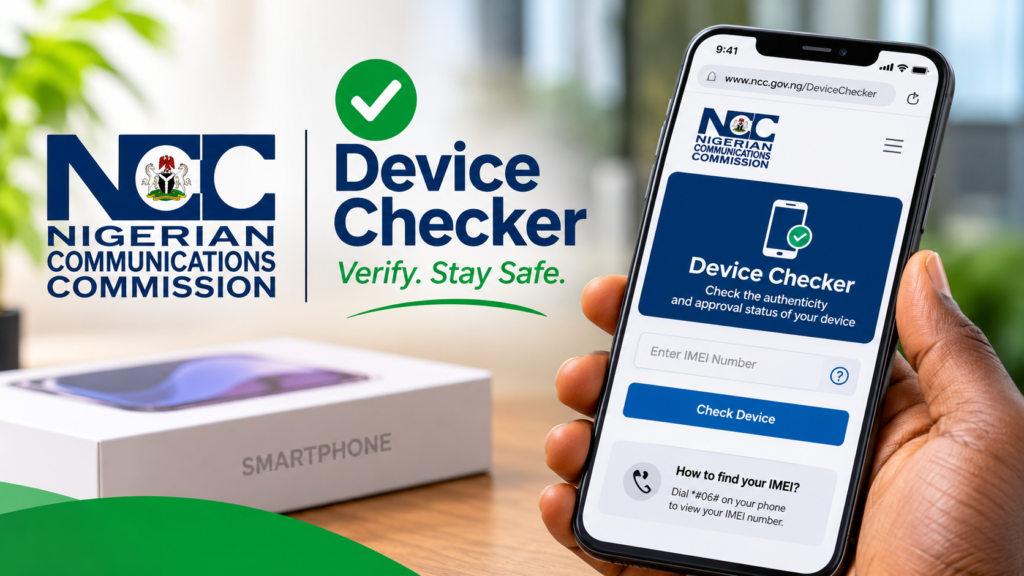
The Nigerian Communications Commission (NCC) has introduced a Device Checker platform. It allows consumers to verify phones before purchasing them.
The platform checks whether devices have received the Commission’s Type Approval. It also verifies individual devices for use on Nigerian mobile networks.
The initiative forms part of the NCC’s strengthened device verification framework, which took effect on October 7, 2026.
Here is how Nigerians can use the platform to avoid problematic devices.
What Is the NCC Device Checker?
The NCC Device Checker is an online and USSD-based service for verifying mobile devices.
It helps consumers establish whether a phone model has received regulatory approval. It also checks the verification status of individual devices.
Under Nigeria’s telecommunications regulations, applicable communications devices require NCC Type Approval. This confirms that approved models meet the Commission’s technical requirements.
Read the NCC’s official Device Checker and Type Approval guidance.
How to Access the NCC Device Checker
Consumers can access the platform through these channels:
1. USSD
- Open your phone’s dialler.
- Dial *315#.
- Follow the displayed instructions.
- Select the device verification option.
- Submit the requested information.
2. NCC website
Visit the official NCC Device Checker portal. Enter the device’s IMEI when requested and review the verification result.
3. NCC assistance
Consumers can call the toll-free number 315 for assistance with verification problems.
How to Find Your Phone’s 15-Digit IMEI
The International Mobile Equipment Identity (IMEI) is a unique 15-digit number assigned to mobile devices.
To find yours:
- Open your phone’s dialler.
- Dial *#06#.
- Your phone will display its IMEI number.
- Copy the number for verification.
You can also find the IMEI in your phone’s settings or original packaging.
Some smartphones have multiple IMEI numbers because they support multiple SIM connections. Check the relevant identifiers when using the platform.
How to Interpret Verification Results
A successful verification should confirm that the device model has NCC Type Approval. It should also establish that the individual device has passed the required verification.
However, a successful result does not guarantee that every phone component is original. It also does not reveal the device’s complete repair history.
An unsuccessful result does not automatically mean the phone is counterfeit. Incorrect IMEI entries or incomplete verification records could cause problems.
Follow the platform’s instructions and seek clarification before completing your purchase.
What Should You Do If a Phone Fails Verification?
Avoid paying for a device that fails verification until you resolve the issue.
Here are some recommended steps:
- Ask the seller to explain the verification result.
- Confirm that you entered the correct IMEI.
- Repeat the verification if necessary.
- Contact the NCC through 315.
- Seek additional assistance from your network provider.
If the seller cannot resolve the problem, consider walking away.
Never disclose verification codes or OTPs to sellers or strangers claiming to offer assistance.
Can You Verify Second-Hand Phones?
Yes. The NCC Device Checker also supports second-hand smartphone verification.
The NCC says devices already connected to Nigerian networks before October 7, 2026, were automatically verified.
However, buyers should still check second-hand phones before payment. Some previously used devices may require additional verification when ownership changes.
The platform does not prohibit every second-hand phone transaction. Its requirements focus on regulatory approval and device verification.
Does NCC Verification Guarantee a Genuine Phone?
Not entirely.
The platform checks regulatory approval and individual-device verification status. It does not physically inspect smartphones or guarantee their condition.
A phone could pass verification but still have a damaged battery, replaced screen or other faults.
Buyers should inspect devices, test their features and request receipts before paying.
What This Means for Nigerian Phone Buyers
The NCC Device Checker gives Nigerians another tool for making informed smartphone purchases.
Whether you are buying a new Samsung, iPhone, Tecno, Infinix or second-hand device, verification is a sensible precaution.
Consumers can access the service by dialling *315# or visiting the official NCC website.
Ultimately, verify before you pay.